
Mastering Final Cut Studio 2 - 4 hrs on all Final Cut Studio 2 Apps.

Here's what's covered:
• Final Cut Pro useful tips & tricks to speed up editing workflows
• Motion 3 basics
• Soundtrack Pro 2 basics
• Intro to Color
• Tips for encoding using compressor
• Motion 3 basics
• Soundtrack Pro 2 basics
• Intro to Color
• Tips for encoding using compressor
Note: Ideally you should have some experience with Final Cut Pro before taking this course.
There will be plenty of step by step lessons & detailed explanations of working with all the Final Cut Studio Applications. The course will be run by Apple Certified Master Trainer Andy Day & is aimed at experienced Final Cut Pro users
SIGN UP FOR MASTERING FINAL CUT STUDIO
Final Cut Pro Basic - 4 hr intro for beginners
Here's what's covered:
• FCP Interface
• Basic editing methods & tools
• Capturing
• Effects & Transitions
• Titles & generators
• Exporting
• Basic editing methods & tools
• Capturing
• Effects & Transitions
• Titles & generators
• Exporting
There will be plenty of step by step lessons & detailed explanations of editing in FCP for beginners.
The course will be run by Apple Certified Master Trainer Andy Day & is aimed at new Final Cut Pro (or Express) users.
SIGN UP FOR FINAL CUT PRO BASIC
Final Cut Pro Level 2 - 4 hr Advanced techniques
Here's what's covered:
• Multi-Cam editing
• Audio editing & mixing
• Compositing & Dynamic effects
• Variable speed controls
• Colour Correction
• Audio editing & mixing
• Compositing & Dynamic effects
• Variable speed controls
• Colour Correction
There will be plenty of step by step lessons & detailed explanations of advanced editing in FCP. This course is aimed at more experienced FCP users. The course will be run by Apple Certified Master Trainer Andy Day & is aimed at experienced Final Cut Pro users.
SIGN UP FOR FINAL CUT PRO LEVEL 2
Motion 3 level 1 - 4 hr intro to Motion
Here's what's covered:
• Interface overview
• Creating Text effects
• Generators & Particle emitters
• Keyframing & parameter behaviors
• Paint effects & Intro to 3D
• Creating Text effects
• Generators & Particle emitters
• Keyframing & parameter behaviors
• Paint effects & Intro to 3D
There will be plenty of step by step lessons on practical motion graphics design projects, including lower 3rds, building a title sequence etc... The course will be run by Apple Certified Master Trainer Andy Day.
SIGN UP FOR INTRO TO MOTION
Color for Editors - 4 hrs
Here's what's covered:
• Setting up Color
• Primary color correction
• Secondary color correction
• Color FX
• Tracking, Pan & Scan
• Workflows for Color
• Primary color correction
• Secondary color correction
• Color FX
• Tracking, Pan & Scan
• Workflows for Color
There will be plenty of step by step run-throughs of common color correction & grading methods, as well as some tips on setting up a grading suite on a budget. The course will be run by Apple Certified Master Trainer Andy Day & is aimed at experienced Final Cut Studio users or Colourists.
SIGN UP FOR COLOR FOR EDITORS
DVD Studio Pro - 1 day course

Here's what's covered:
• Basic DVD authoring
• Creating Menus within DVD SP
• Creating a slideshow
• Simulating & checking navigation
• Advanced Menu design
• Markers, Stories & connections
• Basic Scripting
• Using alternate angles
• Working with HD
• Creating Menus within DVD SP
• Creating a slideshow
• Simulating & checking navigation
• Advanced Menu design
• Markers, Stories & connections
• Basic Scripting
• Using alternate angles
• Working with HD
There will be plenty of step by step lessons on creating advanced DVDs using DVD SP. The course will be run by Apple Certified Master Trainer Andy Day.
SIGN UP FOR DVD STUDIO PRO 1 DAY WORKSHOP
iLife 09 Workshop day - 8 hrs
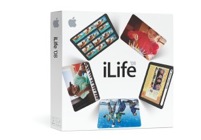
Here's what's covered:
• iMovie 09
• iDVD 09
• iPhoto 09
• iWeb 09
• GarageBand
• iDVD 09
• iPhoto 09
• iWeb 09
• GarageBand
There will be plenty of step by step lessons & detailed explanations of all the iLife Apps. The course will be run by Apple Certified Master Trainer Andy Day & is aimed at all level of user.
SIGN UP FOR iLIFE 09 WORKSHOP DAY